
Back in 2020 most music teachers had about a week to figure out how to teach through a laptop. Some were pleasantly surprised, others spent half the lesson begging a seven year old to unmute himself. Video teaching hasn't gone anywhere since, but plenty of people still aren't sure what holds up on a screen and what falls apart.
Whether a lesson goes well or badly will usually come down to three things:
- The instrument,
- the age of the student and
- the tech.
All three are covered below including the setup problems that wreck more lessons than anyone would guess.
Which Instruments Translate Well to Video
Instruments don't all behave the same way down a video call, and I think this catches people off guard more than it should.
- Piano and keyboard hold up well because a single camera angle will show both hands, the posture and the music on the stand at the same time.
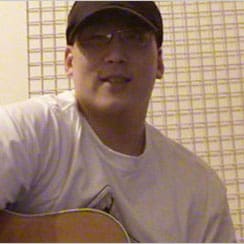
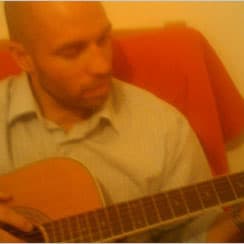
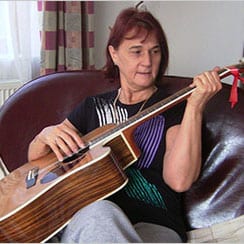
- Guitar is much the same, particularly for chord work and fingerpicking.
- Singing works nicely too, a teacher will hear the pitch, breath support and tone clearly enough to react on the spot and there's no great lump of wood or brass parked in front of the camera.
- Theory's fine as well since most of it will be talking, notation and ear training anyway.
- Trouble starts with violin, cello and flute. Tiny changes in hand position, bow angle or embouchure will change everything, and nobody can reach through a screen and move a student's wrist which is normally how that gets fixed in a room. That doesn't rule video out for these instruments, it'll just go better with older students who've already got some technique behind them.
- Drums and ensembles don't work either.
| Instrument | Video suitability | Why it works or doesn't |
|---|---|---|
| Piano/keyboard | Excellent | Single camera shows hands, posture, music |
| Guitar | Good | Clear view of fretting and strumming hands |
| Singing | Good | Teacher hears pitch and tone clearly |
| Theory | Excellent | Mostly talking and notation |
| Violin/cello | Fair to poor | Tiny hand/bow changes matter, hard to see |
| Flute/brass | Fair | Embouchure details get lost |
| Drums | Poor | Latency issues, noise complaints likely |
The Setup Mistakes That Kill Sound Quality
This is where teachers and parents tend to slip up. Zoom, Teams and the rest were built for talking not playing. They'll run noise suppression and auto-gain quietly in the background which does a lovely job on a meeting and a terrible one on an instrument. Piano overtones get clipped off, a guitar comes through thin and squashed, voices lose the resonance that makes them sound like voices in the first place.
The fix is easy once somebody points it out.
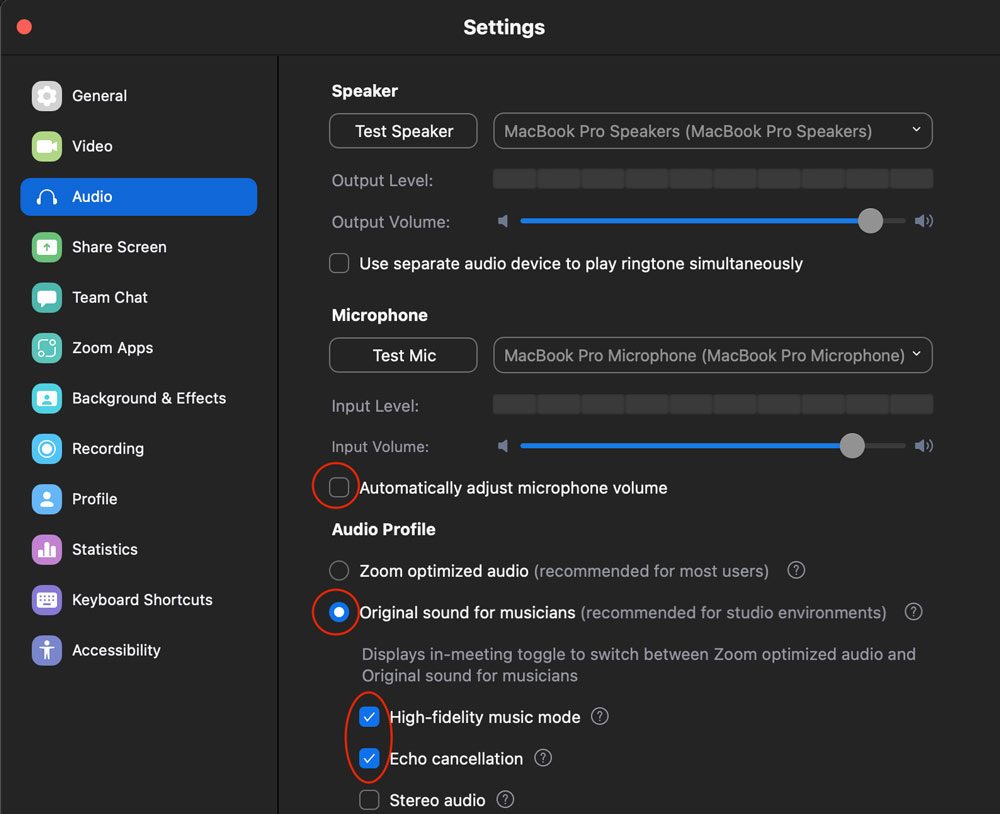
Zoom has a setting called original sound for musicians tucked away in the audio menu. Switching it on will push the noise suppression out of the way, so the whole sound gets through.
Anyone who's been doing online music teaching for a while will already know about it but it still catches out almost everyone who's new. I learned about this after a bit of googling, but non-tech inclined people will not realize this and just complain about the bad teaching experience over video.
Then there's the connection. Wi-Fi and real-time audio have never got on. If either end is running on a wobbly wireless signal the sound will cut, lag or turn to mush at the worst possible moment which is usually halfway through a phrase the student has finally got right. An Ethernet cable will sort out a surprising amount of that.
Here's what you actually need to do on Zoom, step by step, to get acceptable audio for music lessons:
- Open Zoom Settings (the cog icon)
- Click on Audio in the left menu
- Uncheck "Automatically adjust microphone volume"
- Under Microphone Modes select "Original sound for musicians"
- If your on Ethernet check "High-fidelity music mode" too
- Once your in the meeting click "Original Sound" at the top to turn it ON
Camera Position and What Teachers Actually Need to See
Plenty of students or their parents will prop a laptop on the kitchen table and assume the job's done. For most instruments the teacher will need a good deal more than a face.
- Piano teachers want to see hands and keys,
- guitar teachers want the fretting hand and the strumming hand,
- singing teachers want to see the jaw, the throat and the shoulders.
A second device or a cheap external webcam at a wider angle will solve most of it. A phone on a small tripod pointed at the hands and the instrument does the job well enough as a second view.
None of this has to be expensive but somebody will need to think it through before the lesson starts not five minutes into it. And, of course, be able to set it up.
How Age Affects What's Realistic
A teenager with a couple of years of playing behind them will get a lot out of a video lesson. They'll follow instructions, move their own camera when asked and stay with it for 30 to 45 minutes. A five year old holding an instrument for the first time is a completely different story.
Small beginners need hands-on guidance. They are full of energy and naturally need to move about, and they'll run out of concentration fast. Shorter videos can still work if a parent stays in the room and helps with positioning and focus. Without that the teacher will spend most of the half hour managing a child instead of teaching music. For that age group 15 or 20 minutes will normally get more done than a full thirty.
What Video Lessons Can't Do
There are limits here and there's no point pretending otherwise.
Ensemble playing is the obvious one, latency means two people can't play in time together and even 30 milliseconds of delay will wreck the rhythm on its own. Research shows orchestral musicians start feeling uncomfortable around 35 milliseconds of latency and duos get strongly affected beyond 100 ms source: musicandpractice.org.
Duets, band rehearsals and orchestra sections are off the table.
Drums in a flat are another problem, though of a different sort. A kit going full pelt through thin walls will earn a noise complaint long before it earns anybody a compliment. Electronic kits with headphones will take the edge off but they won't respond under the sticks the way an acoustic will.
The Right Fit for the Right Student
Online lessons won't suit everybody equally. Some combinations of instrument, age, and staging will work beautifully and others will leave both people frustrated by week three. Piano guitar singing and theory are all safe bets.
Younger beginners will want a parent nearby and a shorter session, and the tech pre-setup will decide how much gets taught before anyone's played a note.